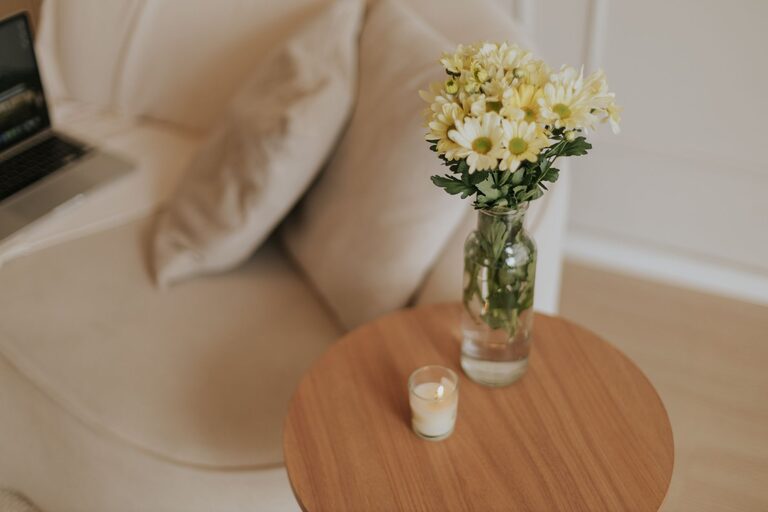

Creating a home office that balances coziness with productivity is essential for anyone who works remotely or spends significant time at their desk. A well-designed workspace can boost your focus, reduce stress, and make your workday more enjoyable. Here are practical tips to help you create a cozy and productive home office space.
Choose the Right Location
Selecting the ideal spot for your home office is the first step. Ideally, it should be a quiet area with minimal distractions. Consider these factors:
– Natural Light: Position your desk near a window to benefit from natural light, which can improve your mood and reduce eye strain.
– Privacy: Choose a space where you can close the door or have some separation from busy areas of your home.
– Space: Ensure there’s enough room for your desk, chair, storage, and any equipment you need.
If space is limited, a dedicated corner or nook can work well as long as it’s organized and comfortable.
Invest in Comfortable Furniture
Comfort plays a huge role in staying productive. Spend time choosing furniture that supports long hours of work.
– Ergonomic Chair: A good chair with proper lumbar support helps prevent back pain.
– Adjustable Desk: Consider a desk that allows you to alternate between sitting and standing.
– Proper Desk Size: Your desk should be roomy enough to hold your computer, notebook, and other essentials without clutter.
Don’t forget to adjust your monitor height so your eyes gaze slightly downward, which reduces neck strain.
Personalize Your Space
Adding personal touches can make your home office feel inviting and motivate you to spend time there.
– Artwork and Photos: Hang inspiring artwork or photos that make you happy.
– Plants: Indoor plants improve air quality and bring a refreshing natural vibe.
– Colors: Use warm or soft colors that create a calm environment. Shades like pastel blues, greens, or light neutrals work well.
Just be careful not to overcrowd the space, as too many decorations can become distracting.
Organize for Efficiency
A cluttered workspace can hinder focus. Keep your office organized with these tips:
– Storage Solutions: Use shelves, filing cabinets, or storage bins to keep documents and supplies tidy.
– Desk Organization: Use small trays or drawer organizers to keep pens, paper clips, and other small items in order.
– Cable Management: Tidy up wires with clips or sleeves to prevent tangling.
Regularly declutter your space to maintain a neat and inviting environment.
Optimize Lighting
Good lighting reduces eye strain and helps maintain energy levels.
– Layered Lighting: Combine overhead lighting with task lamps focused on your work area.
– Adjustable Lamps: Desk lamps with adjustable brightness and color temperature let you tailor lighting to your needs.
– Avoid Glare: Position screens and lights to reduce glare, which can be distracting and tiring.
If possible, synchronize your lighting with your natural circadian rhythm by using warmer tones in the evening and brighter white light during the day.
Create Zones for Different Tasks
If your space allows, designate separate zones for various activities:
– Work Zone: Focused area with your computer and desk tools.
– Reading or Planning Zone: A comfy chair with good lighting for reviewing documents or brainstorming.
– Break Zone: A small spot where you can relax, stretch, or have a quick break to recharge.
Zoning helps your brain switch between different modes and fosters better work habits.
Minimize Noise Distractions
Noise can disrupt concentration, so managing sound is important.
– Noise-Canceling Headphones: Great for blocking background noises during focused work.
– Soft Furnishings: Carpets, curtains, and cushions absorb sound and make the room quieter.
– White Noise Machines: These can mask distracting noises with a consistent ambient sound.
If possible, inform family members or roommates about your work hours to reduce interruptions.
Use Technology Wisely
Equip your home office with the right technology to enhance productivity:
– Reliable Internet Connection: Essential for smooth video calls and online work.
– Efficient Equipment: Use a good-quality computer, printer, and accessories that meet your needs.
– Productivity Apps: Tools like calendars, task managers, and note-taking apps help keep you organized.
Regularly update your software and hardware to prevent technical slowdowns.
Incorporate Movement and Breaks
Staying active during your workday can boost creativity and reduce fatigue.
– Stretching: Keep stretches or simple exercises near your desk.
– Standing Breaks: Use desks that allow standing or set reminders to get up regularly.
– Walking: Consider short walks or stepping outside during breaks for fresh air.
Physical movement can improve circulation and mental clarity.
Maintain a Routine
Establishing a consistent routine signals to your brain when it’s time to work and when to rest.
– Set Work Hours: Keep regular start and end times for your workday.
– Morning Rituals: Begin with a routine that gets you in the right mindset, such as coffee or light reading.
– End-of-Day Routine: Create a ritual to wind down and mentally separate work from home life.
A routine helps maintain balance and keeps productivity steady.
—
By combining comfort, organization, and functionality, you can create a home office space that feels welcoming and promotes productivity. Remember, your workspace should reflect your needs and personality while supporting your daily tasks. Small adjustments over time can make a big difference in how you work and feel. Start with a few changes today and enjoy a cozy, efficient home office tomorrow!
About the Author